📌 Next Batch Starting Soon!

Author: admin

The IT Aid Course Guide: Basic Computer, IELTS, Web Design, Marketing & Development

Technology is changing the way we study, work and build careers. Today, having practical digital skills is no longer optional; it has become an important requirement for students, job seekers, professionals and entrepreneurs.

Many students after SSC or HSC become confused about which skill they should learn. Some want to improve their computer knowledge, some want to prepare for studying abroad, while others want to build careers in freelancing, web development or digital marketing.

Choosing the right course at the right time can create better career opportunities.

The IT Aid is an IT training and skill development institute in Sylhet that provides practical, career-focused courses designed for beginners, students, fresh graduates and professionals. The institute focuses on hands-on learning so students can develop skills that are useful in real-life situations.

In this complete course guide, we will discuss different learning paths including:

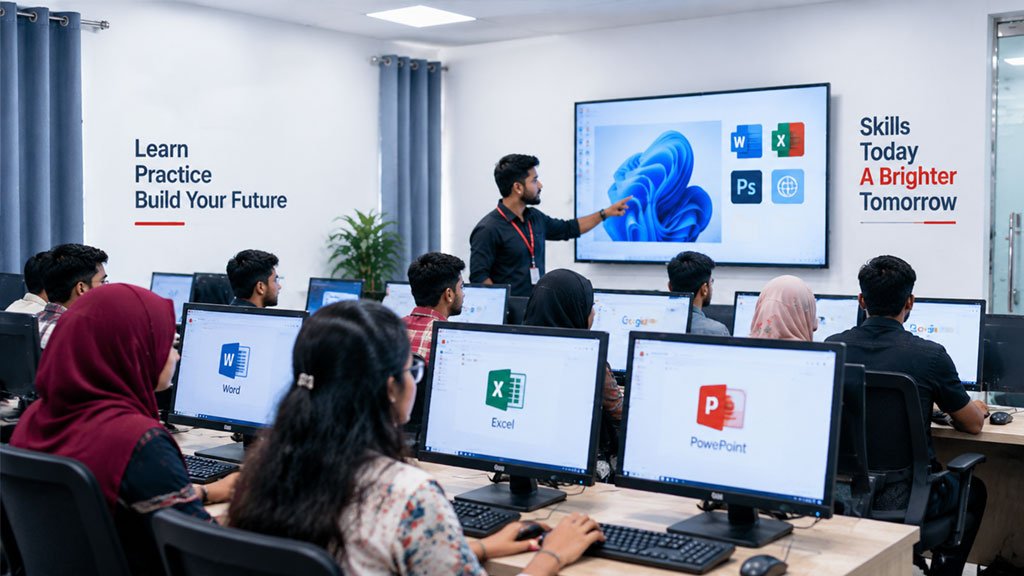
  • Basic Computer Course
  • IELTS Preparation Course
  • Web Design Course
  • Web Development Course
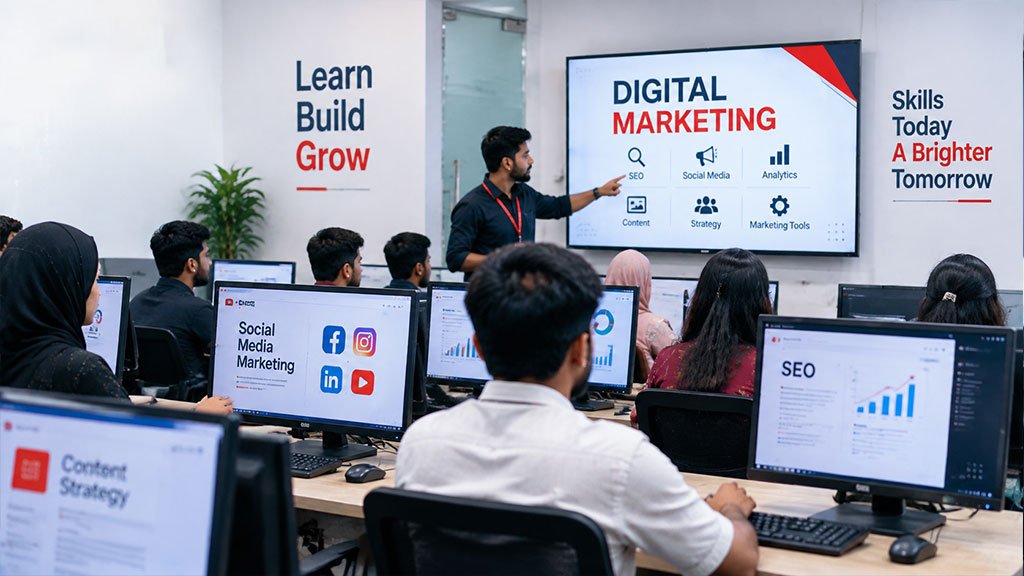
  • Digital Marketing Course

and help you understand which course may be suitable for your career goal.

Which Course Should You Choose at The IT Aid?

The right course depends on your goal, interest and future career plan.

Your Goal Recommended Course
Learn essential computer skills Basic Computer Course
Prepare for studying abroad IELTS Course
Create professional websites Web Design Course
Build advanced websites and applications Web Development Course
Promote businesses online Digital Marketing Course
Start freelancing Skill-based IT Courses

The IT Aid offers multiple professional courses including Basic Computer, CD IELTS, Web Design, Digital Marketing, Graphic Design and Web Development.

Basic Computer Course in Sylhet: Build Your Digital Foundation

A strong computer foundation is important before learning advanced technology skills.

Many students know how to use smartphones but struggle with professional computer tasks. A Basic Computer Course in Sylhet helps beginners understand computers and develop practical skills required for education, jobs and daily professional work.

What Will You Learn in a Basic Computer Course?

A beginner-friendly computer course usually covers:

  • Computer fundamentals
  • Windows operation
  • File management
  • MS Word
  • MS Excel
  • PowerPoint presentation
  • Internet browsing
  • Email communication
  • Typing skills
  • Basic Computing with AI

At The IT Aid, the Basic Computer course is designed to help students develop practical computer skills instead of only learning theory.

Who Should Join a Basic Computer Course?

This course is suitable for:

  • Students after SSC
  • Students after HSC
  • Job seekers
  • Office employees
  • Business owners
  • Complete beginners

A good computer skill can support you in almost every career because most modern workplaces depend on digital tools.

IELTS Course in Sylhet: Prepare for Your Study Abroad Journey

English language skills are important for students planning higher education abroad.

An IELTS Preparation Course in Sylhet helps learners improve their English communication and prepare for the IELTS exam format.

IELTS Course Covers:

Listening

Students learn how to understand different accents and improve listening accuracy.

Reading

Practice techniques help students manage time and answer questions effectively.

Writing

Students learn essay structure, task response techniques and writing improvement strategies.

Speaking

Regular speaking practice helps students build confidence and improve communication skills.

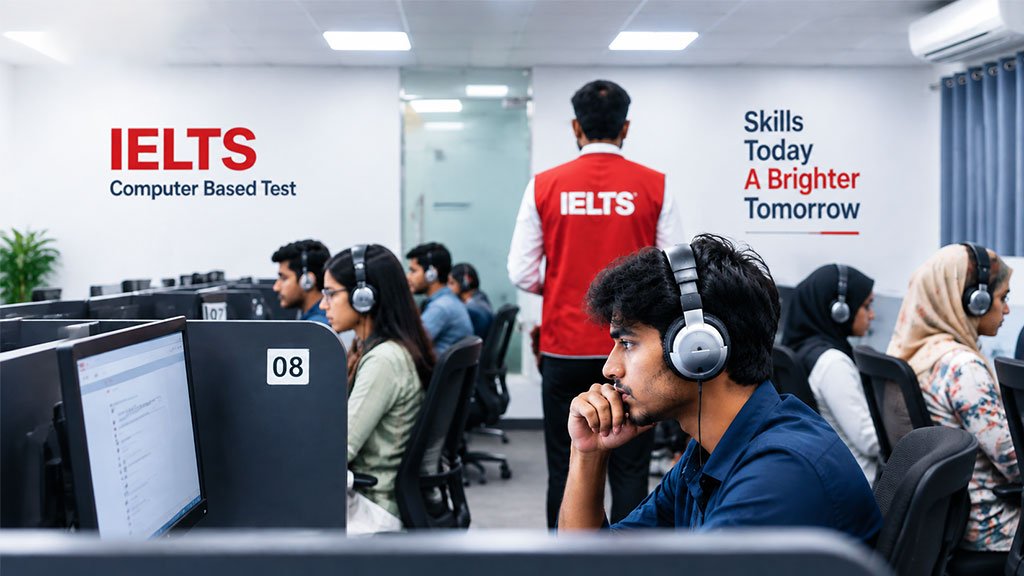
The IT Aid also provides CD IELTS preparation designed around the computer-based IELTS exam format.

Who Should Take IELTS Preparation?

  • Students planning to study abroad
  • Professionals seeking international opportunities
  • Anyone targeting a higher IELTS band score

Web Design Course in Sylhet: Learn to Create Modern Websites

Websites are now essential for businesses, organisations and personal brands.

A Web Design Course in Sylhet teaches students how websites are created and designed.

Skills Covered in Web Design:

  • HTML
  • CSS
  • Responsive website design
  • Website layouts
  • User interface basics
  • WordPress basics
  • Website customization

Career Opportunities After Web Design

After learning web design, students can explore careers as:

  • Web Designer
  • WordPress Designer
  • Front-End Designer
  • Freelance Web Creator

Web design is a good starting point for creative learners who enjoy visual design and website building.

Web Development Course in Sylhet: Become a Professional Developer

Web development focuses on creating functional and interactive websites and applications.

While web design focuses more on appearance, web development focuses on programming and website functionality.

Web Development Skills Include:

  • HTML and CSS
  • JavaScript fundamentals
  • Programming concepts
  • PHP
  • MySQL database
  • Backend development
  • Dynamic website creation

Career Opportunities:

A web development skill can lead to roles such as:

  • Web Developer
  • Full Stack Developer
  • Backend Developer
  • Software Professional

For students who enjoy coding and problem-solving, web development can be a strong career path.

Web Design vs Web Development: Which One Should You Choose?

Many beginners become confused between web design and web development.

Both fields are valuable, but the learning path is different.

Web Design Web Development
Focuses on website appearance Focuses on website functionality
Suitable for creative learners Suitable for programming-focused learners
Uses HTML, CSS and design principles Uses programming languages and databases
Faster entry into website creation More technical career path

Choose Web Design if you enjoy creativity, layouts and visual elements.

Choose Web Development if you enjoy coding, logic and building complex systems.

Digital Marketing Course in Sylhet: Learn How Businesses Grow Online

Businesses are moving online, creating a growing demand for digital marketing professionals.

A Digital Marketing Course in Sylhet teaches students how companies attract customers through online platforms.

Digital Marketing Skills Include:

  • Search Engine Optimization (SEO)
  • Social Media Marketing
  • Facebook Marketing
  • Google Ads
  • Content Marketing
  • Analytics
  • Online branding

Career Opportunities:

Digital marketing skills can help you become:

  • Digital Marketer
  • SEO Specialist
  • Social Media Manager
  • Marketing Freelancer

This skill is especially useful for students who want to work with businesses or build online income opportunities.

Which IT Course Is Best After SSC or HSC?

There is no single course that is best for everyone. The right choice depends on your career goal.

After SSC:

Students can start with:

  • Basic Computer Course
  • IELTS Preparation
  • Web Design Foundation

After HSC:

Students can explore:

  • Digital Marketing
  • Web Design
  • Web Development
  • IELTS Preparation

Starting early helps students build practical skills before entering higher education or professional life.

Which Course Is Best for Freelancing?

Freelancing requires a valuable skill, strong practice and professional communication.

Some popular skill areas include:

Web Design

Useful for creating websites for clients.

Web Development

Suitable for advanced website and software projects.

Digital Marketing

Useful for SEO, advertising and online business growth.

Graphic Design

Useful for creative projects and branding work.

The IT Aid focuses on practical learning so students can understand how skills are applied in real projects.

Why Choose The IT Aid for IT Training in Sylhet?

Choosing the right training institute is important because learning quality affects your future growth.

The IT Aid focuses on:

  • Practical learning environment
  • Experienced instructors
  • Career-focused curriculum
  • Modern computer facilities
  • Student support
  • Skill-based training

You can learn more about the organisation and learning environment from the About The IT Aid page.

Learn From Real Student Experiences

Student experiences help new learners understand the quality of training.

The IT Aid shares student feedback and achievements through its Success Stories section, where learners share their course experiences and learning journeys.

You can explore student achievements here:

https://theitaid.com/success-story/

Real feedback helps students make better decisions before choosing a course.

Join Seminars and Skill Development Programs

Learning is not limited to classrooms. Career awareness, industry knowledge and skill guidance also play an important role.

The IT Aid regularly shares educational activities and learning opportunities through seminars and events.

Explore upcoming activities:

https://theitaid.com/seminar/

Frequently Asked Questions (FAQ)

Which IT course is best for beginners in Sylhet?

For complete beginners, a Basic Computer Course is a good starting point because it builds essential digital skills.

What courses does The IT Aid offer?

The IT Aid offers Basic Computer, CD IELTS, Web Design, Digital Marketing, Graphic Design and Web Development courses.

Which computer course is best after SSC?

A Basic Computer Course is a useful first step after SSC because it builds foundation skills for education and career development.

Is digital marketing a good career option?

Yes. Businesses increasingly need professionals who understand SEO, social media marketing and online advertising.

Should I learn web design or web development?

Choose web design if you prefer creativity and website appearance. Choose web development if you want to focus on coding and advanced website functions.

Can beginners learn web development?

Yes. Beginners can start with basic programming concepts and gradually develop advanced skills.

Does The IT Aid provide practical training?

Yes. The institute focuses on practical, career-focused learning.

Start Your Career Journey With The IT Aid

The right skill can create new opportunities.

Whether you want to improve computer knowledge, prepare for IELTS, build websites, become a developer or learn digital marketing, choosing the right training path is the first step toward your future.

The IT Aid helps students develop practical skills through structured courses and career-focused training.

To learn more about courses, admission and schedules, visit:

https://theitaid.com/

For course information or counselling:
https://theitaid.com/contact/


Web Design vs Web Development: Which Course Is Best for Your Career?

Choosing the right IT career path can be confusing, especially when you are deciding between web design vs web development. Both fields are popular, have strong demand in the digital industry, and offer excellent opportunities for jobs, freelancing, and remote work.

Many students and beginners often ask:

  • Should I learn web design or web development?
  • Which course is better for a successful career?
  • Is web development more profitable than web design?
  • Which skill has better opportunities in the future?

The answer depends on your interests, learning style, and career goals.

Web design focuses on creating the visual experience of a website, including layout, user interface, and user experience. Web development focuses on building the technical structure, functionality, and performance of websites and web applications.

Both skills play an important role in creating modern websites. A professional website requires both attractive design and powerful functionality.

In this complete guide, we will explain the difference between web design and web development, required skills, career opportunities, salary comparison, freelancing potential, learning roadmap, and which course is best for your future.

What Is Web Design?

Web design is the process of planning and creating the visual appearance of a website. A web designer focuses on how a website looks, feels, and how easily users can interact with it.

A good web design is not only about making a website beautiful. It is about creating a smooth user experience where visitors can quickly find information and complete their desired actions.

For example, when you visit an online store, the product arrangement, navigation menu, buttons, colors, images, and page structure are all part of web design.

Modern web design combines creativity, technology, and user psychology to create websites that are attractive and effective.

What Does a Web Designer Do?

A web designer is responsible for planning and designing website interfaces.

Common responsibilities include:

  • Creating website layouts
  • Designing user interfaces
  • Improving website usability
  • Creating mobile-friendly designs
  • Preparing website prototypes
  • Selecting colors and typography
  • Designing landing pages
  • Working with developers

A professional web designer understands both visual creativity and user behavior.

Skills Required for Web Designers

To build a career in web design, you need a combination of creative and technical skills.

UI Design

User Interface (UI) design focuses on the visual elements users interact with.

Examples:

  • Buttons
  • Navigation menus
  • Forms
  • Website sections
  • Icons

A good UI design makes a website attractive and easy to use.

UX Design

User Experience (UX) design focuses on improving how users interact with a website.

A UX designer studies:

  • User behavior
  • Website navigation
  • Customer journey
  • Website usability

The goal is to make websites simple and enjoyable for visitors.

Web Design Tools

Professional designers commonly use:

  • Figma
  • Adobe Photoshop
  • Adobe Illustrator
  • Adobe XD

These tools help designers create website mockups, prototypes, and professional layouts.

Basic Coding Knowledge

Although web designers do not need advanced programming skills, basic knowledge of:

  • HTML
  • CSS
  • Responsive design

helps them create better designs and communicate effectively with developers.

What Is Web Development?

Web development is the process of creating websites and web applications using programming languages and technologies.

While web designers focus on the appearance of a website, web developers focus on making the website functional.

Web developers build features such as:

  • Login systems
  • Online stores
  • Payment gateways
  • Booking systems
  • Dashboards
  • Database systems
  • Custom web applications

Every interactive feature you use on a website is created through web development.

Types of Web Development

Frontend Development

Frontend developers create the visible parts of websites.

They work with:

  • HTML
  • CSS
  • JavaScript
  • React
  • Angular

Examples:

  • Website pages
  • Animations
  • Forms
  • Interactive elements

Backend Development

Backend developers manage the technical systems behind websites.

They handle:

  • Servers
  • Databases
  • Security
  • APIs
  • Website logic

Common technologies:

  • PHP
  • Laravel
  • Python
  • Node.js
  • MySQL

Full Stack Development

A full stack developer can work on both frontend and backend development.

They can create complete websites and web applications independently.

Skills Required for Web Developers

A successful web developer needs strong technical knowledge.

Important skills include:

Programming Languages

  • HTML
  • CSS
  • JavaScript
  • PHP
  • Python

Frameworks

  • React
  • Angular
  • Laravel

Database Skills

  • MySQL
  • Database management
  • Data security

Development Tools

  • Git
  • GitHub
  • VS Code
  • API integration

Web Design vs Web Development: Key Differences

Category Web Design Web Development
Main Focus Website appearance Website functionality
Professional Role Web Designer Web Developer
Main Skills UI/UX, creativity Programming, coding
Coding Requirement Basic Advanced
Tools Figma, Photoshop VS Code, Git
Work Style Creative Technical
Career Options UI Designer, UX Designer Frontend, Backend, Full Stack Developer
Learning Difficulty Beginner-friendly More technical

Web Design Course vs Web Development Course: Which One Should You Choose?

Choosing between a web design course and a web development course depends on your personal interest.

Choose Web Design If You:

  • Enjoy creativity
  • Like visual problem-solving
  • Have interest in graphics and layouts
  • Prefer designing experiences

Possible careers:

  • Web Designer
  • UI Designer
  • UX Designer
  • Product Designer

Choose Web Development If You:

  • Enjoy coding
  • Like solving technical problems
  • Want to build applications
  • Enjoy programming challenges

Possible careers:

  • Frontend Developer
  • Backend Developer
  • Full Stack Developer
  • Software Developer

Web Design vs Web Development: Which Is Easier to Learn?

For beginners, web design is usually easier to start because it requires less programming knowledge.

You can begin with:

  • Design principles
  • Figma
  • UI/UX concepts
  • Website layouts

Web development requires more time because you need to learn:

  • Programming logic
  • Coding concepts
  • Frameworks
  • Databases

However, both fields require regular practice and continuous learning.

Web Design vs Web Development Salary Comparison

Salary depends on:

  • Experience
  • Skill level
  • Portfolio
  • Location
  • Company
  • Freelancing ability

Generally:

Web Designer Income Potential

Web designers can earn through:

  • UI design projects
  • Website redesign
  • Landing page design
  • Freelance projects

Web Developer Income Potential

Web developers often have higher earning potential because they can work on:

  • Complex websites
  • Software applications
  • Ecommerce platforms
  • Business automation systems

A skilled professional in either field can build a successful career.

Web Design Career Opportunities

The demand for skilled web designers continues to grow as businesses need attractive and user-friendly websites.

Career options include:

  • Web Designer
  • UI Designer
  • UX Designer
  • Product Designer
  • Freelance Designer

Industries hiring designers:

  • Software companies
  • Digital marketing agencies
  • Ecommerce companies
  • Startups

Web Development Career Opportunities

Web development offers a wide range of career paths.

Job roles include:

  • Frontend Developer
  • Backend Developer
  • Full Stack Developer
  • Laravel Developer
  • React Developer
  • Software Engineer

With the growth of online businesses, skilled developers are highly valuable in the job market.

Freelancing Opportunities: Web Design vs Web Development

Both fields offer excellent freelancing opportunities.

Web Design Freelance Projects:

  • Website UI design
  • Landing page design
  • Mobile app interface
  • Website redesign

Web Development Freelance Projects:

  • Business websites
  • Ecommerce websites
  • Booking systems
  • Web applications
  • Custom software

Popular freelancing platforms:

  • Upwork
  • Fiverr
  • Freelancer

Web Design and Development Career in Bangladesh

The IT industry in Bangladesh is growing rapidly. Businesses are moving online, creating more demand for skilled web professionals.

Career opportunities include:

  • Local IT companies
  • Digital agencies
  • Software firms
  • Remote jobs
  • Freelancing

Students who develop practical skills and build strong portfolios can create successful careers.

3-Month Learning Roadmap for Beginners

Month 1: Build Foundation

Learn:

  • HTML
  • CSS
  • Basic design principles
  • Figma fundamentals

Practice:

  • Simple website layouts
  • Basic UI designs

Month 2: Improve Skills

Learn:

For Design:

  • Advanced UI design
  • UX principles
  • Responsive design

For Development:

  • JavaScript basics
  • PHP/Laravel or React

Month 3: Build Real Projects

Create:

  • Portfolio website
  • Business website
  • Ecommerce project
  • Landing pages

Real projects help you prepare for jobs and freelancing.

Can You Learn Web Design and Web Development Together?

Yes. Learning both skills can give you a competitive advantage.

A person who understands both design and development can:

  • Create complete websites
  • Communicate better with teams
  • Handle more freelance projects
  • Build better user experiences

Many successful professionals combine both skills.

Why Learn Web Design and Development From The IT Aid?

At The IT Aid, students learn practical skills designed for real-world careers.

Our focus includes:

  • Industry-focused training
  • Practical project experience
  • Career-oriented learning
  • Professional guidance
  • Skill development for freelancing and jobs

Learn more about our training programs and services:

Website:
https://theitaid.com/

About The IT Aid:
https://theitaid.com/about/

Explore student achievements:
https://theitaid.com/success-story/

Join upcoming seminars and career sessions:
https://theitaid.com/seminar/

Contact our team:
https://theitaid.com/contact/

Frequently Asked Questions (FAQ)

1. Which is better, web design or web development?

Both fields have good career opportunities. Web design is better for creative individuals, while web development is better for people interested in coding and programming.

2. Is web development harder than web design?

Web development is generally more technical because it requires programming, databases, and logical problem-solving skills.

3. Can beginners learn web design without coding?

Yes. Beginners can start web design with UI/UX principles and tools like Figma. Basic HTML and CSS knowledge can provide additional benefits.

4. Which course is best for a career in IT?

Web development generally offers broader technical career opportunities, but web design is also a strong career choice for creative professionals.

5. How long does it take to learn web design?

With regular practice, beginners can learn basic web design skills within a few months.

6. How long does it take to become a web developer?

The timeline depends on your learning speed, but consistent practice can help beginners become job-ready within several months.

7. Can web designers earn money through freelancing?

Yes. Many web designers earn through freelance projects such as UI design, landing pages, and website redesign.

8. Should I learn web design before web development?

Learning basic web design concepts before development can help you understand how websites are structured, but it is not mandatory.

Final Verdict: Web Design or Web Development Which One Is Best?

There is no single winner between web design and web development.

Choose web design if you enjoy:

  • Creativity
  • Visual problem-solving
  • User experience

Choose web development if you enjoy:

  • Coding
  • Logic
  • Building digital solutions

For long-term career growth, learning both skills can create more opportunities in the IT industry.

The most important step is choosing a quality learning path and practicing with real projects. With proper training and dedication, both web design and web development can become successful career options.

Graphic Design Career in Bangladesh: Skills, Tools & Freelancing Roadmap

Graphic design has moved far beyond making attractive posters or editing photographs. It is now an important part of branding, advertising, e-commerce, social media, software products and almost every business that communicates visually. This growing need has made a graphic design career in Bangladesh an appealing option for students, job seekers, freelancers and professionals looking for a creative digital skill.

However, owning a computer and learning a few Photoshop tools will not automatically make someone a professional designer. A successful career requires design fundamentals, software knowledge, regular practice, a focused portfolio and the ability to understand a client’s business problem.

This guide from The IT Aid explains the skills you need, the tools worth learning and a realistic graphic design freelancing roadmap for beginners in Bangladesh.

What Is Graphic Design?

Graphic design is the process of communicating an idea or message through visual elements such as typography, colour, images, icons, shapes and layout. A designer organises these elements so that information becomes attractive, understandable and useful to a specific audience.

Common examples of graphic design include:

  • Logos and brand identity systems
  • Social media posts and advertising creatives
  • Business cards, brochures and flyers
  • Product packaging and labels
  • Website banners and landing-page graphics
  • YouTube thumbnails and presentation designs
  • Restaurant menus, catalogues and company profiles
  • E-commerce product images
  • Infographics and marketing materials

Good design is not simply decoration. It helps a business earn attention, communicate clearly, build trust and encourage people to take action.

Is Graphic Design a Good Career in Bangladesh?

Yes, graphic design can be a strong career choice in Bangladesh for someone who combines creative ability with commercial thinking and consistent practice. Local businesses increasingly need professional visual content for Facebook, Instagram, websites, online stores, print campaigns and corporate communication. At the same time, remote work allows Bangladeshi designers to offer services to international clients.

A designer can follow several career paths:

Career path Typical work
In-house graphic designer Designs for one company’s marketing, sales and brand teams
Agency graphic designer Works on campaigns and creative materials for multiple clients
Freelance graphic designer Finds and manages clients independently
Brand identity designer Creates logos, colour systems, typography and brand guidelines
Marketing designer Produces advertisements, social media creatives and campaign assets
Print and packaging designer Designs printed materials, packaging, labels and production files
UI designer Creates the visual interface of websites and mobile applications
Creative entrepreneur Builds a design studio, agency, template store or digital-product business

The field is competitive, but competition should not discourage beginners. Many designers know how to operate software; fewer can research an audience, explain a concept, maintain brand consistency and deliver files professionally. Those abilities create a meaningful advantage.

Essential Graphic Design Skills

Software changes over time, but design fundamentals remain valuable. Beginners should develop the following skills before trying to master every available tool.

1. Design principles

Learn balance, alignment, contrast, repetition, proximity, hierarchy and negative space. These principles determine whether a composition looks organised and directs attention to the right information.

2. Typography

Typography is more than selecting a stylish font. A designer must understand font pairing, readability, line spacing, letter spacing, scale and hierarchy. Strong typography can make a simple design feel professional, while poor typography can weaken an otherwise good concept.

3. Colour theory

Learn how colours interact, how contrast affects readability and how colour choices influence perception. Designers should also understand RGB for digital work, CMYK for print and HEX values for websites and brand guidelines.

4. Layout and composition

Layout determines how text, images and supporting elements work together. Grid systems, spacing and visual hierarchy help readers understand information quickly.

5. Branding and visual identity

A brand identity is not just a logo. It includes colour, typography, imagery, icons, layout rules and a consistent visual personality. Understanding these elements opens the door to higher-value branding projects.

6. Image editing and manipulation

Professional marketing work often requires background removal, colour correction, retouching, masking, compositing and image optimisation. These are particularly useful for advertising, e-commerce and social media design.

7. Vector design

Logos, icons and illustrations should usually be created as vectors because they can be resized without losing quality. Learn paths, anchor points, strokes, shapes and vector export formats.

8. Marketing awareness

A marketing designer must know the objective of a creative. Is it meant to build awareness, generate leads, promote an offer or increase sales? Understanding the goal helps the designer create stronger headlines, calls to action and visual hierarchy.

9. Communication and client management

Freelancers need to ask useful questions, interpret briefs, present ideas, handle feedback and set realistic deadlines. Clear written English is valuable when working with international clients, but clarity matters more than complicated vocabulary.

10. File preparation and organisation

Learn correct dimensions, resolution, bleed, colour modes, export settings, naming conventions and folder organisation. Clients remember designers who deliver clean, usable files on time.

Best Graphic Design Tools for Beginners

You do not need to learn every design application at once. Choose tools according to the type of work you want to offer.

Tool Best used for Learning priority
Adobe Photoshop Photo editing, manipulation, digital ads, thumbnails and social media graphics High
Adobe Illustrator Logos, icons, vector illustrations, packaging and print assets High
Canva Fast social content, presentations and template-based design Useful for beginners
Figma Website interfaces, app screens, design systems and collaborative work High for UI-focused designers
Adobe InDesign Multi-page brochures, magazines, reports and print publications Learn when needed
PowerPoint Business presentations and editable corporate decks Useful commercial skill
Behance Publishing case studies and presenting a public portfolio High

What about AI tools?

AI tools can support ideation, image generation, background editing, copy exploration and repetitive production tasks. Tools such as Adobe Firefly, ChatGPT and other image-generation platforms may speed up parts of the workflow. They should support design judgement rather than replace it.

A professional designer must still check originality, licensing, brand accuracy, image quality, spelling and cultural suitability. Clients pay for reliable outcomes, not simply for the use of a particular tool.

How to Become a Graphic Designer in Bangladesh

There is no single route into the profession. You can take a structured course, study independently or combine both methods. The following process works well for most beginners.

Step 1: Select a starting niche

Do not begin with ten services. Choose one area that interests you and has visible demand, such as:

  • Social media and advertising design
  • Logo and brand identity design
  • Print and packaging design
  • E-commerce product-image design
  • Presentation design
  • UI design

A focused starting point makes learning easier and helps your portfolio look consistent.

Step 2: Learn the fundamentals

Study typography, colour, hierarchy, alignment, spacing and composition. Analyse professional work and ask why each element was placed where it is. Recreating good layouts for private practice can help you understand structure, but copied work should never be presented as an original client project.

Step 3: Learn one main tool

For marketing and image-based design, begin with Photoshop. For logos and vector work, begin with Illustrator. For UI design, start with Figma. Learn shortcuts and file management while completing small projects instead of watching tutorials without practice.

Step 4: Complete realistic projects

Create work based on believable business problems. For example, develop a restaurant promotion, a clothing brand launch, a travel-agency campaign or a complete identity for a local service business.

Each project should have a target audience, objective, message and deliverables. This approach produces better portfolio work than disconnected practice images.

Step 5: Build and publish your portfolio

Choose your best six to ten projects rather than uploading everything you have made. Publish them on Behance, a personal website or another platform that is easy to share with employers and clients.

Step 6: Gain real experience

Begin with a personal project, internship, junior position, volunteer assignment or carefully selected small client project. Real experience teaches you how to manage revisions, deadlines and production requirements.

Six-Month Graphic Design Learning Roadmap

The timeline below is a guide, not a promise. Progress depends on available time, feedback and the quality of your practice.

Month 1: Build the foundation

  • Study design principles, typography and colour theory
  • Learn basic Photoshop or Illustrator tools
  • Recreate layouts for practice and analyse the originals
  • Complete one small design exercise most days

Goal: Understand why a layout works instead of relying on random effects.

Month 2: Develop technical control

  • Practise selections, masks, layers, grids and export settings
  • Learn vector shapes, the Pen tool and typography controls
  • Create social posts, flyers, business cards and simple logos
  • Request specific feedback from a teacher or experienced designer

Goal: Turn an idea into a clean, technically correct file.

Month 3: Choose a specialisation

  • Select one primary service category
  • Study current professional work in that category
  • Complete two or three connected project sets
  • Learn the business and audience behind each brief

Goal: Move from general practice to purposeful skill development.

Month 4: Build portfolio case studies

  • Refine your best projects
  • Create mockups that support rather than hide the design
  • Explain the problem, audience, process and final solution
  • Publish three to five detailed case studies

Goal: Present evidence of your thinking and execution.

Month 5: Prepare for clients

  • Define your services and ideal client
  • Create a clear profile, proposal template and discovery questionnaire
  • Practise explaining pricing, scope and revision limits
  • Set up Behance, LinkedIn and selected marketplace profiles

Goal: Make it easy for a suitable client to understand and hire you.

Month 6: Start outreach and freelancing

  • Send personalised proposals or outreach messages regularly
  • Apply only to projects that match your portfolio
  • Track applications, replies and lessons learned
  • Deliver early projects carefully and request testimonials
  • Continue improving your portfolio with stronger work

Goal: Build a repeatable process for finding and serving clients.

How to Build a Graphic Design Portfolio That Attracts Clients

A portfolio is proof of your ability. Clients want to see whether you can solve a problem similar to theirs, not how many software certificates you have collected. You can also explore The IT Aid success stories to understand how completed work can be presented around a real challenge, solution and outcome.

For each case study, include:

  1. Project overview: Explain the business and the assignment.
  2. Problem: Describe what needed to improve or communicate.
  3. Target audience: Identify the people the design must reach.
  4. Creative direction: Explain the reasoning behind colour, type and layout choices.
  5. Final deliverables: Show the complete set in realistic contexts.
  6. Result or lesson: Add a measurable outcome when genuine data is available; otherwise explain what the project demonstrates.

Avoid filling a portfolio with near-identical social posts. Show enough variety to demonstrate flexibility while keeping the work relevant to the service you want to sell.

Graphic Design Freelancing Roadmap in Bangladesh

Learning design and building a freelance business are related but different tasks. Freelancing also requires positioning, sales, communication, project management and financial discipline.

Choose a clear service

I do graphic design is too broad. A more specific offer is easier to understand, such as:

  • Social media design for restaurants
  • Brand identity for local service businesses
  • E-commerce product images for online sellers
  • Presentation design for consultants
  • Print and promotional design for education businesses

You can expand later, but a clear initial service makes your profile and outreach more relevant.

Create client-ready packages

Define what the client receives, the expected turnaround time, number of revisions and required source files. Packages can reduce confusion, but custom projects should still begin with a written scope.

Select your client-acquisition channels

Beginners often focus only on marketplaces. Fiverr and Upwork can provide opportunities, but they are not the only options. You can also find clients through:

  • LinkedIn networking and direct outreach
  • Facebook business communities
  • Local companies in your city
  • Partnerships with marketers, developers and agencies
  • Referrals from previous clients
  • A personal portfolio website
  • Consistent educational content about design and branding

Use one or two channels consistently before adding more.

Personalise proposals

A useful proposal should show that you understand the project. Mention the client’s objective, identify the relevant experience in your portfolio and briefly explain your approach. Avoid sending the same generic message to every job.

Use a professional workflow

A simple freelance workflow may include:

  1. Discovery and brief
  2. Scope, price and timeline agreement
  3. Advance payment when appropriate
  4. Research and concept development
  5. First presentation
  6. Structured revision rounds
  7. Final approval
  8. File delivery and payment completion
  9. Testimonial and follow-up

Keep agreements, payment records and project files organised. For tax, banking or contractual matters, consult current official guidance or a qualified professional rather than relying on social media advice.

Build long-term client relationships

Repeat clients can make freelance income more stable. Meet deadlines, communicate early when a problem occurs and keep brand files organised. After finishing a project, ask whether the client needs ongoing campaign graphics, monthly social content or brand support.

How Much Can a Graphic Designer Earn in Bangladesh?

There is no fixed salary or freelance income for graphic designers in Bangladesh. Earnings vary according to experience, portfolio quality, specialisation, employment type, client market, communication skills and ability to produce business results.

A junior in-house designer, an experienced brand specialist and a freelancer serving international clients operate in very different markets. Instead of trusting an impressive income claim, evaluate opportunities by looking at:

  • Required skill level and responsibilities
  • Quality expected by the employer or client
  • Project complexity and commercial value
  • Turnaround time and revision requirements
  • Whether the work is local, remote or international
  • Costs such as software, equipment, internet and marketplace fees

Beginners should focus first on competence, proof of work and dependable delivery. Rates can increase as the portfolio, positioning and client results improve.

Common Mistakes New Graphic Designers Make

Learning software without learning design

Knowing every Photoshop tool does not guarantee good typography, hierarchy or composition. Study fundamentals alongside software.

Copying trends without understanding the audience

A fashionable layout may be unsuitable for the client’s customers or message. Start with the communication goal.

Offering too many services

Trying to master logos, UI, motion graphics, illustration and video editing simultaneously often slows progress. Build one reliable skill before expanding.

Using too many fonts, colours and effects

Professional work is usually controlled and intentional. Every element should have a purpose.

Depending entirely on AI or templates

Templates and AI outputs can accelerate production, but unedited results often look generic or create licensing, accuracy and consistency problems.

Uploading weak work to the portfolio

Your weakest public project can influence a client’s opinion. Curate carefully and replace older work as your ability improves.

Starting client work without a clear scope

Undefined deliverables and unlimited revisions create conflict. Confirm the price, timeline, file types and revision policy before beginning.

Course or Self-Learning: Which Is Better?

Both approaches can work. A good course offers structure, deadlines, feedback and access to an instructor. Self-learning offers flexibility and can be affordable, but it requires discipline and the ability to evaluate information critically.

Before joining a graphic design course in Bangladesh, check:

  • Whether the curriculum teaches design principles as well as tools
  • Whether students complete original, practical projects
  • Whether instructors provide individual feedback
  • Whether portfolio development is included
  • Whether the advertised career or income claims are realistic
  • Whether recent student work demonstrates consistent quality

The best choice is the one that leads to focused practice and useful feedback. A certificate may support a CV, but the portfolio usually carries more weight in creative work. Learners looking for practical sessions and career-focused events can check the latest seminars from The IT Aid.

The Future of Graphic Design in the Age of AI

AI is changing how quickly designers can explore ideas and produce variations. It is also increasing the amount of average-looking content online. This makes judgement, originality and strategic thinking more important.

Designers can remain valuable by developing skills that are difficult to automate completely:

  • Understanding clients and audiences
  • Turning business objectives into visual systems
  • Art direction and concept selection
  • Brand consistency across many channels
  • Typography and information hierarchy
  • Cultural awareness and local-market understanding
  • Quality control and production accuracy
  • Presenting decisions and managing stakeholders

The practical approach is to learn AI-assisted workflows while strengthening the human abilities that guide those tools.

A Simple Action Plan for Beginners

If you want to start today, follow this sequence:

  1. Choose one design specialisation.
  2. Study core principles for at least a few weeks.
  3. Learn one primary design tool through projects.
  4. Complete three realistic practice briefs.
  5. Turn your strongest work into case studies.
  6. Publish a focused portfolio.
  7. Create a clear service and client profile.
  8. Begin targeted outreach or marketplace applications.
  9. Track feedback and improve weak areas.
  10. Continue learning while completing real work.

Consistency matters more than rushing. Six months of deliberate practice can create a foundation, but professional development continues throughout a designer’s career.

Final Thoughts

Building a graphic design career in Bangladesh is possible through employment, freelancing or entrepreneurship. The strongest path combines design fundamentals, focused software skills, a relevant portfolio and professional client communication.

Do not measure progress only by how many tools you know. Measure it by whether you can understand a problem, create a clear visual solution and deliver it reliably. Start with one area, practise with purpose and improve every project you publish.

At The IT Aid, we believe practical digital skills should help people create real career and business opportunities. Explore our latest insights on graphic design, marketing, technology and freelancing to continue building your professional roadmap. If you need guidance or want to discuss a digital project, you can contact The IT Aid.

Frequently Asked Questions

Is graphic design a good career in Bangladesh?

Graphic design can be a good career in Bangladesh because businesses need visual content for branding, advertising, social media, websites, e-commerce and print. Success depends on design ability, portfolio quality, communication and consistent professional development.

Do I need a degree to become a graphic designer?

No specific degree is required for many graphic design roles or freelance projects. Employers and clients often focus on the quality of your portfolio, practical skills and ability to meet a brief. Formal education can still be helpful for structured learning and career development.

Which software should a beginner graphic designer learn first?

Photoshop is useful for image-based marketing design, while Illustrator is important for logos and vector graphics. Figma is a strong choice for website and app interface design. Choose the first tool according to your intended specialisation.

Can I start graphic design freelancing with Canva?

Canva can be useful for learning layouts and producing straightforward marketing content. However, freelancers seeking complex or higher-value projects should also learn design fundamentals and professional tools suited to their chosen service.

How long does it take to learn graphic design?

The timeline depends on your goals, practice time and access to feedback. A beginner may build a basic foundation within several months, but developing a competitive portfolio and professional judgement usually takes longer.

How do beginner graphic designers find clients?

Beginners can use Fiverr, Upwork, LinkedIn, Facebook business groups, direct outreach, local networking, agency partnerships and referrals. A focused portfolio and personalised communication improve the chance of receiving a response.

Is Photoshop enough for a graphic design career?

Photoshop is powerful, but it is not ideal for every project. Designers working with logos and scalable graphics should learn Illustrator or another vector tool, while UI designers should learn Figma or similar interface-design software.

Will AI replace graphic designers?

AI will automate some production tasks and change design workflows, but clients still need people who understand strategy, audiences, brand systems, cultural context and quality control. Designers who combine strong fundamentals with AI-assisted workflows will be better prepared.

CD IELTS Preparation in Sylhet: How to Practice Like the Real Exam

CD IELTS has become a popular choice for many IELTS candidates because it offers a modern computer-based test experience. In CD IELTS, candidates complete Listening, Reading and Writing on a computer, while Speaking is assessed separately. For many students, this feels easier and more organized. But for others, it can feel stressful if they are not used to typing, reading on screen, using headphones, managing the timer and working with the computer-delivered interface.

That is why CD IELTS preparation in Sylhet should not be limited to grammar, vocabulary and question practice only. A student also needs to practice like the real exam. Real exam-style practice helps you understand the test format, improve time management, build confidence and identify weak areas before the main IELTS exam.

At The IT Aid, learners can build practical preparation habits with a student-focused learning environment. Whether you are planning to take IELTS Academic or IELTS General Training on computer, the right preparation method can make a big difference in your final performance.

What Is CD IELTS?

CD IELTS means Computer Delivered IELTS. The test content, scoring criteria and question types are the same as paper-based IELTS. The main difference is the delivery system.

In CD IELTS, you complete the Listening, Reading and Writing modules on a computer. Instead of writing answers with pen and paper, you type your responses and submit answers through a digital interface. The Speaking test is still assessed through an examiner-based format.

Many students choose CD IELTS because the computer-based system can feel cleaner and more flexible. However, it also requires computer confidence. If you are not comfortable with typing, screen reading or digital navigation, you may feel extra pressure during the exam.

So, proper Computer Delivered IELTS preparation should include both IELTS skill practice and computer-based test practice.

Why CD IELTS Preparation Is Different from Paper-Based IELTS

Paper-based IELTS and CD IELTS follow the same test structure, but the exam experience is different. In paper-based IELTS, you write by hand, mark answers on paper and read printed passages. In CD IELTS, everything is done on screen.

This means students need to develop some extra habits.

You need to type your Writing Task 1 and Task 2 within the time limit. You need to read long Reading passages on a screen. You need to listen carefully using headphones and enter answers accurately. You also need to manage time while working inside a computer-delivered interface.

A student may know IELTS grammar and vocabulary, but still struggle in CD IELTS if they are not comfortable with the real exam platform. That is why Computer-Based IELTS Preparation is important for students who want to perform confidently.

Why Real Exam Practice Matters for CD IELTS

Real exam practice helps you prepare your mind and body for the actual test day. Many students feel nervous not because they are weak, but because they are unfamiliar with the exam environment.

When you practice under real exam conditions, you learn how to stay focused for a long time. You understand how much time you can spend on each section. You also discover your mistakes before the main exam.

A proper real exam-style practice should include:

  • Full-length mock test
  • Real timing and pressure
  • Computer-delivered interface
  • Listening practice with headphones
  • Reading practice on screen
  • Typing practice for Writing
  • Writing feedback
  • Speaking assessment
  • Band breakdown and performance analysis

A CD IELTS Mock Test is not only for checking your score. It is a training tool. It helps you understand your current level and shows what you need to improve.

How to Practice CD IELTS Like the Real Exam

To prepare well for CD IELTS, you need a structured practice plan. Random practice may help a little, but exam-focused preparation gives better results.

Understand the IELTS Test Format

Before starting your preparation, you should clearly understand the IELTS test format. Learn how Listening, Reading, Writing and Speaking are scored. Understand the question types and time limits.

In Listening, you need to follow the audio carefully and type answers correctly. In Reading, you need to answer different question types within 60 minutes. In Writing, you need to complete two tasks with proper structure. In Speaking, you need to show fluency, pronunciation, grammar range and vocabulary.

When you understand the test format, your preparation becomes more focused.

Practice Typing Every Day

Typing is one of the most important skills for CD IELTS Writing. Many students can write good essays on paper, but they type slowly on a computer. This creates problems in the exam.

If your typing speed is slow, you may not finish both writing tasks properly. You may also make spelling mistakes or lose time while correcting sentences.

Practice typing every day. Start with small paragraphs, then move to IELTS Writing Task 1 and Task 2. Focus on accuracy first. Then improve speed. Also practice editing your writing on screen because in CD IELTS, you may need to correct grammar, spelling and sentence structure while typing.

Practice Reading on a Computer Screen

IELTS Reading on computer can feel different from reading on paper. Long passages on screen can make some students tired. Others may lose focus while scrolling.

To improve this, practice Reading on a laptop or desktop screen. Use a timer. Practice skimming, scanning and keyword matching. Try to understand how quickly you can find answers without reading every line slowly.

Screen reading practice helps you become comfortable before the main exam.

Practice Listening with Headphones

In CD IELTS Listening, you should practice with headphones. This gives you a more realistic experience. It also helps you focus on pronunciation, numbers, names, spelling and word limits.

During serious practice, do not pause the audio again and again. In the real exam, the audio continues. So your practice should also follow real timing.

After every Listening practice, check your mistakes carefully. Many students lose marks because of spelling, plural forms or careless typing.

Take Full-Length Mock Tests

A Full-Length Mock Test is one of the best ways to prepare for CD IELTS. It helps you understand exam-day stamina, time pressure and module-wise performance.

A full mock test should feel close to the real test. It should not be too easy or too casual. The goal is to help you experience the pressure before the main exam.

After completing a mock test, do not only look at the score. Analyze your mistakes. Check which section caused the most problems. Find out whether you lost marks because of weak English, poor time management, typing problems or lack of strategy.

Module-Wise CD IELTS Preparation Tips

IELTS Listening Tips

For Listening, practice with headphones and focus on accuracy. Listen carefully for names, dates, numbers, addresses and plural forms. Always check the word limit.

In CD IELTS Listening, typing accuracy matters. Even if you understand the audio, wrong spelling can cost marks. So, after every practice test, review your wrong answers and write down repeated mistakes.

IELTS Reading Tips

For Reading, time management is very important. You have 60 minutes for three passages. Do not spend too much time on one question.

Practice different question types such as True/False/Not Given, matching headings, sentence completion, summary completion and multiple choice. Learn how to identify keywords and understand paraphrasing.

Since CD IELTS Reading is screen-based, practice on a computer screen instead of depending only on printed materials.

IELTS Writing Tips

Writing is often the most difficult module for many students. In CD IELTS, you need to type your answers, so typing practice and writing structure both matter.

For Task 1, practice report writing or letter writing depending on your IELTS type. For Task 2, practice essays with a clear introduction, body paragraphs and conclusion.

Getting Writing Feedback is very important. Without feedback, it is difficult to know whether your answer meets IELTS scoring criteria. A trainer can help you improve task response, coherence and cohesion, lexical resource, grammar and overall structure.

IELTS Speaking Tips

Speaking needs regular practice. You should work on fluency, pronunciation, grammar, vocabulary and idea development.

A proper Speaking Assessment helps you understand your current level. Examiner-style feedback can show whether your answers are too short, unclear, memorized or grammatically weak.

Practice Part 1, Part 2 and Part 3 questions. Record your answers and listen again. This helps you notice pronunciation and fluency problems.

What Should a Good CD IELTS Mock Test Include?

A good Computer Delivered IELTS Mock Test should not only show a score. It should help students understand their real preparation level.

A strong mock test should include a computer-delivered interface, real timing, Listening with headphones, Reading on screen, typed Writing practice, feedback and performance analysis.

Feature Why It Matters
Computer-delivered interface Helps students become familiar with the real exam platform
Full-length timing Builds stamina and time management
Headphone-based Listening Creates real Listening test practice
Writing feedback Helps improve grammar, structure and task response
Speaking assessment Improves fluency and confidence
Band breakdown Shows module-wise performance
Performance analysis Helps identify weak areas

If you are searching for an IELTS Mock Test in Sylhet, look for a test that gives practical feedback, not just a final result.

Common Mistakes Students Make in CD IELTS Preparation

Many students make the mistake of starting computer practice too late. They prepare from books for months, but only practice on computer near the exam date. This can create pressure.

Another mistake is ignoring typing speed. In CD IELTS Writing, slow typing can affect both task completion and answer quality.

Some students take mock tests but do not analyze the result. A mock test is useful only when you review your mistakes and work on improvement.

Many students also ignore Writing feedback. Writing is difficult to improve without proper correction. You need to know what is wrong before you can fix it.

Common mistakes include:

  • Not practicing typing regularly
  • Avoiding full-length mock tests
  • Practicing only from books
  • Not reading on computer screen
  • Ignoring Writing feedback
  • Not practicing Speaking with assessment
  • Poor time management
  • Not reviewing mock test results

How The IT Aid Can Help CD IELTS Learners in Sylhet

The IT Aid focuses on practical learning and student development. For CD IELTS learners, the most important thing is to practice in a way that feels close to the real exam.

At The IT Aid, students can explore a learning environment that supports skill development, exam preparation and digital confidence. The institute helps learners understand how to prepare step by step, especially when they need practical guidance before the final exam.

If you want to know more about the institute, training approach and learning mission, you can visit the About The IT Aid page.

The IT Aid also shares student progress and achievements through its Success Story section. This helps new learners understand the value of practical training and consistent preparation.

Students can also check upcoming learning activities or events through the Seminar page. For admission, course guidance or preparation support, visit the Contact Page.

Suggested Weekly CD IELTS Practice Routine

A weekly routine can help you stay consistent. Here is a simple practice plan for CD IELTS learners:

Day Practice Focus
Day 1 Listening practice with headphones and spelling correction
Day 2 Reading practice on computer with timer
Day 3 Writing Task 1 typing practice
Day 4 Writing Task 2 typing practice
Day 5 Speaking practice and assessment
Day 6 Full-length CD IELTS mock test
Day 7 Result analysis and mistake correction

This routine helps you practice all four modules. It also gives time for review, which is very important for improvement.

Final Recommendation

If you are preparing for CD IELTS in Sylhet, do not prepare only from books. Practice on computer. Improve your typing speed. Read passages on screen. Listen with headphones. Take full-length mock tests. Get Writing feedback and Speaking assessment.

A good CD IELTS Preparation in Sylhet plan should help you understand the exam format, handle real timing and pressure, improve your weak areas and build confidence before the main IELTS exam.

CD IELTS is not difficult if you prepare in the right way. The key is to practice like the real exam before the real exam.

To start your preparation journey, visit The IT Aid or contact the team through the Contact Page.

FAQs

What is CD IELTS?

CD IELTS means Computer Delivered IELTS. In this format, Listening, Reading and Writing are completed on computer, while Speaking is assessed separately.

Is CD IELTS harder than paper-based IELTS?

No. The test content and scoring criteria are the same. CD IELTS may feel harder only if you are not comfortable with typing, screen reading or computer-based navigation.

How can I prepare for CD IELTS in Sylhet?

You can prepare by practicing typing, reading on screen, Listening with headphones, full-length mock tests, Writing feedback and Speaking assessment.

Why is a CD IELTS mock test important?

A CD IELTS mock test helps students experience real timing, exam pressure, computer-delivered interface and module-wise performance before the main IELTS exam.

Is typing speed important for CD IELTS Writing?

Yes. Typing speed is important because you need to complete Writing Task 1 and Task 2 within the official time limit.

What should I practice before CD IELTS?

You should practice Listening with headphones, Reading on screen, Writing by typing, Speaking assessment, time management and full-length mock tests.

Can mock tests improve IELTS band score?

Mock tests can help improve your band score if you analyze mistakes, get feedback and work on weak areas after each test.

Where can I get CD IELTS preparation support in Sylhet?

Students can contact The IT Aid for CD IELTS preparation guidance, practical learning support and exam-focused training in Sylhet.

Digital Marketing Course in Sylhet: Complete Beginner Guide

Digital marketing is no longer just a trending skill. It has become one of the most practical career skills for students, job seekers, freelancers and business owners. In 2026–2027, almost every business needs online visibility, social media presence, Google ranking, paid ads, content strategy and customer engagement.

If you are living in Sylhet and thinking about learning digital marketing, this guide will help you understand what digital marketing is, what skills you should learn, who should join a digital marketing course and how to choose the right training institute.

At The IT Aid, learners can build practical digital skills step by step through career-focused IT training. Whether your goal is freelancing, job preparation, business promotion or personal brand building, digital marketing can be a powerful skill to start with.

What Is Digital Marketing?

Digital marketing means promoting products, services, brands or personal skills through online platforms. These platforms include Google, Facebook, Instagram, YouTube, websites, email, search engines and other digital channels.

For example, when a coaching center promotes admission offers on Facebook, that is digital marketing. When a restaurant runs ads to get food orders, that is digital marketing. When a website appears on Google for a keyword like “best computer course in Sylhet,” that is also digital marketing through SEO.

A good digital marketer understands how to attract the right audience, create useful content, run ads, analyze performance and improve results.

Why Digital Marketing Skills Are Important in 2026–2027

The online world is changing very fast. People now search online before buying a product, joining a course, booking a service or visiting a business. That means businesses need skilled people who can manage their online presence professionally.

Digital marketing is important because it helps businesses reach customers faster. It helps students build career-ready skills. It helps job seekers apply for digital marketing roles. It helps freelancers offer services like SEO, Facebook Ads, social media management and content marketing.

In Bangladesh, especially in cities like Sylhet, many local businesses still do not use digital marketing properly. This creates a big opportunity for learners who can understand both local business needs and modern online marketing strategies.

Who Should Learn Digital Marketing in Sylhet?

Digital marketing is suitable for many types of learners. You do not need to be highly technical to start. You need interest, consistency and practical training.

Students

Students can learn digital marketing after SSC, HSC or during university life. It helps them build a strong career foundation early. Students can use digital marketing skills for freelancing, internships, part-time work, content creation and personal branding.

If a student learns SEO, social media marketing, Facebook Ads and content strategy early, they can stay ahead in the job market.

Job Seekers

Digital marketing is a good skill for job seekers because many companies now hire digital marketing executives, social media managers, SEO assistants, content marketers and ad campaign managers.

A job seeker with digital marketing knowledge can work in agencies, education institutes, restaurants, travel agencies, e-commerce businesses, real estate companies and many other industries.

Freelancing Beginners

Many beginners want to start freelancing but do not know which skill to learn. Digital marketing can be a smart choice because services like SEO, Facebook page management, content planning, YouTube SEO, lead generation and social media marketing are in demand.

A digital marketing course can help beginners understand how to create a service, build a portfolio, communicate with clients and start working on platforms like Fiverr, Upwork and Freelancer.

Business Owners

Business owners can also learn digital marketing to promote their own products or services. If you run a shop, restaurant, training center, travel agency, gym, clinic or online business, digital marketing knowledge can help you understand how to reach customers and generate leads.

Even if you hire a marketer later, knowing the basics helps you make better business decisions.

What You Will Learn in a Digital Marketing Course

A complete digital marketing course should not only teach theory. It should teach practical skills that learners can use in real projects.

A strong digital marketing course in Sylhet should include SEO, Facebook marketing, Meta Ads, Google Ads, content marketing, social media strategy, analytics, AI tools and freelancing guidance.

Digital Marketing Basics

This part teaches the foundation. You learn what digital marketing is, how online platforms work, how customers behave online and how businesses use digital channels to grow.

SEO

SEO means Search Engine Optimization. It helps websites rank on Google. In SEO, you learn keyword research, on-page SEO, technical SEO, local SEO, content optimization and Google Search Console.

SEO is very important because it can bring long-term organic traffic without paying for every click.

Facebook Marketing and Meta Ads

Facebook is still one of the most important platforms for businesses in Bangladesh. In this module, learners should understand Facebook page optimization, content planning, audience targeting, ad campaign setup, boosting strategy and lead generation.

For local businesses in Sylhet, Facebook marketing can bring direct messages, calls, leads and customer inquiries.

Google Ads

Google Ads helps businesses appear in front of people who are actively searching for a product or service. A beginner should learn how search ads work, how keywords are selected, how landing pages matter and how ad performance is tracked.

Content Marketing

Content is the heart of digital marketing. Blog posts, captions, videos, reels, graphics, emails and website copy all work as content. A good digital marketer knows how to create content that attracts attention and builds trust.

Social Media Marketing

Social media marketing includes Facebook, Instagram, LinkedIn, YouTube and other platforms. Learners should understand content strategy, brand tone, posting schedule, audience engagement and campaign planning.

Analytics and Tracking

Digital marketing is not only about posting content or running ads. You need to understand results. Analytics helps you see what is working and what needs improvement.

A beginner should learn basic reporting, Google Analytics, Google Search Console and campaign performance tracking.

AI Tools for Digital Marketing

In 2026–2027, AI tools are becoming a major part of digital marketing. AI can help with content ideas, keyword research, caption writing, competitor analysis, ad copy and productivity.

But AI should be used smartly. Human creativity, local understanding and strategy are still very important.

SEO Course in Sylhet: Why SEO Is a Core Digital Marketing Skill

SEO is one of the most valuable parts of digital marketing. If you want to become a digital marketer, you should learn SEO properly.

SEO helps websites rank for keywords like “digital marketing course in Sylhet,” “computer training center in Sylhet,” or “graphic design course in Sylhet.” When a website ranks on Google, it can get visitors without paying for ads every day.

A good SEO module should include keyword research, meta title, meta description, URL structure, heading optimization, image alt text, internal linking, technical SEO, sitemap, robots.txt, schema markup and local SEO.

For students and freelancers, SEO can become a strong service skill. For business owners, SEO can help their website get more organic leads.

Facebook Marketing and Meta Ads for Bangladesh Businesses

Many businesses in Bangladesh depend heavily on Facebook. Restaurants, coaching centers, travel agencies, clothing shops, gyms, salons and local service providers all use Facebook to reach customers.

But just posting randomly is not enough. A digital marketer should know how to create content strategy, choose the right audience, set campaign goals, write ad copy, design creative ideas and analyze results.

Facebook marketing is especially important for Sylhet businesses because many customers make decisions after seeing social media posts, reviews, videos and offers.

Digital Marketing for Freelancing

Digital marketing is a strong freelancing skill because businesses around the world need online growth. A freelancer can offer services like SEO audit, keyword research, blog optimization, Facebook Ads setup, social media management, content planning, YouTube SEO and local business marketing.

But freelancing needs more than skill. You also need a portfolio, communication ability, proposal writing, client handling and project delivery discipline.

That is why practical training is important. Learners should not only learn definitions. They should work on sample projects, create reports, prepare content plans and understand real client problems.

Digital Marketing for Local Businesses in Sylhet

Sylhet has many growing businesses, education brands, restaurants, hotels, travel agencies, clinics, real estate companies and service providers. Most of them need better online visibility.

Digital marketing can help a local business in many ways. A restaurant can promote food offers. A coaching center can collect admission leads. A travel agency can promote tour packages. A hotel can run seasonal campaigns. A clinic can build awareness. A shop can sell products through Facebook and Google.

This is why digital marketing is not only for freelancers. It is also a real business growth skill.

How Long Does It Take to Learn Digital Marketing?

A beginner can understand the basics of digital marketing within one to two months. But becoming confident takes practice. To build real skill, learners should practice for three to six months with projects, tools and regular feedback.

Digital marketing is not a one-day skill. It is a continuous learning field. Platforms change, algorithms change and marketing strategies improve over time. So the best learners are those who keep practicing.

Digital Marketing Course vs Free YouTube Learning

Many people ask, “Can I learn digital marketing from YouTube?” The answer is yes, you can learn many things from YouTube. But beginners often face one big problem: they do not know what to learn first and what to learn next.

YouTube learning can be random. You may watch SEO today, Facebook Ads tomorrow and Google Ads after that, but still feel confused. A structured course gives you a clear roadmap.

A good course provides step-by-step learning, trainer guidance, practical tasks, project feedback and career direction. This is especially helpful for beginners who want to save time and learn in an organized way.

How to Choose the Best Digital Marketing Course in Sylhet

Before joining any digital marketing course, check whether the course is practical or only theoretical. Digital marketing cannot be learned properly without hands-on practice.

A good course should include SEO, Facebook Ads, Google Ads, content marketing, analytics, AI tools and freelancing guidance. It should also include real examples from local businesses.

You should also check whether the institute has student support, success stories, course guidance and a professional learning environment. If you want to know more about The IT Aid’s training approach, you can visit the About The IT Aid page.

Why Choose The IT Aid for Digital Marketing Training in Sylhet?

The IT Aid is a practical IT training institute in Sylhet that focuses on career-oriented digital skills. The goal is to help students, job seekers, freelancers and business owners learn skills that they can use in real life.

At The IT Aid, learners can explore different skill paths such as digital marketing, basic computing, graphic design, web design and web development. Digital marketing learners can also benefit from practical class support, project-based learning and career-focused guidance.

The Success Story section can help new learners see how students are progressing through practical skills. This type of proof builds confidence for beginners who are planning to start their learning journey.

The IT Aid also shares updates, learning content and student activities through social media. You can follow The IT Aid Facebook page and watch videos on The IT Aid YouTube channel to stay connected with the institute.

Career Opportunities After Learning Digital Marketing

After learning digital marketing, you can explore different career paths. You can work as a digital marketing executive, SEO assistant, social media executive, content marketer, Facebook Ads assistant, Google Ads assistant, YouTube SEO assistant or local business marketing consultant.

Freelancers can also offer digital marketing services to local and international clients. Business owners can use the skill to grow their own business.

The best part is that digital marketing gives you multiple directions. You can focus on SEO, paid ads, social media, content, analytics or freelancing depending on your interest.

Final Recommendation

If you are looking for a digital marketing course in Sylhet, choose a course that teaches practical skills, not only theory. You should learn SEO, Facebook Ads, Google Ads, content marketing, social media strategy, analytics, AI tools and freelancing basics.

Digital marketing is useful for students who want career-ready skills, job seekers who want better opportunities, freelancers who want online income skills and business owners who want to grow their brand.

The IT Aid can be a strong starting point for beginners who want to learn digital marketing step by step in Sylhet. To know more or discuss admission details, visit The IT Aid or contact the team through the Contact Page.

FAQs

What is the best digital marketing course in Sylhet?

The best digital marketing course in Sylhet should include SEO, Facebook Ads, Google Ads, social media marketing, content marketing, analytics, AI tools and practical project work. The IT Aid offers beginner-friendly digital marketing training for students, job seekers and business owners.

Can beginners learn digital marketing?

Yes, beginners can learn digital marketing step by step. A good course should start with the basics and then move into SEO, social media marketing, paid ads, content strategy and practical projects.

Is digital marketing good for freelancing in Bangladesh?

Yes, digital marketing is a useful freelancing skill. SEO, social media marketing, Facebook Ads, content writing, YouTube SEO and lead generation are common freelancing services.

What skills are included in a digital marketing course?

A digital marketing course usually includes SEO, Facebook marketing, Meta Ads, Google Ads, content marketing, social media strategy, analytics, AI tools and freelancing guidance.

Is SEO important for digital marketing?

Yes, SEO is one of the most important parts of digital marketing. It helps websites rank on Google and bring organic traffic without paying for every visitor.

Can students learn digital marketing after HSC?

Yes, students can learn digital marketing after HSC. It can help them build career skills, freelancing skills and a strong foundation for future job opportunities.

Do I need a laptop to learn digital marketing?

A laptop is helpful for practice, especially for SEO, ads, analytics and project work. However, beginners can start learning the basic concepts first and then practice regularly with computer access.

How long does it take to learn digital marketing?

A beginner can understand the basics within one to two months. To become skilled and confident, regular practice and project work for three to six months is recommended.

Best Basic Computer Course in Sylhet for Students, Job Seekers

In today’s world, knowing how to use a computer is not just an extra skill anymore—it is a basic life skill. Whether you are a student preparing assignments, a job seeker applying for office jobs, or a business owner managing daily work, computer knowledge can make your life easier, faster and more professional.

Many people in Sylhet want to learn computers but feel confused about where to start. Some think computer learning is only for freelancing. Some think it is only for office workers. But the truth is simple: a basic computer course is useful for almost everyone.

That is why choosing the best basic computer course in Sylhet is important. A good course should not only teach theory. It should help you use the computer confidently in real life. At The IT Aid, learners can build practical digital skills step by step through career-focused IT training.

Why Basic Computer Skills Are Important in 2026

We are living in a digital time. From education to business, almost every sector now depends on computers and online tools. Students need computers for assignments, online forms, presentations and research. Job seekers need computer skills for CV writing, email communication, data entry, office documentation and interview preparation. Business owners need computers for invoices, customer lists, product records, accounts and online communication.

Without basic computer knowledge, many simple tasks become difficult. For example, someone may have a laptop but does not know how to create a professional document. Someone may want to apply for a job but does not know how to write and send an email properly. A business owner may want to keep customer data but does not know how to use Excel.

A basic computer course in Sylhet can solve these problems by teaching the most useful skills in a practical way.

Who Should Join a Basic Computer Course?

A basic computer course is perfect for beginners. You do not need to be an expert or have previous experience. The course is helpful for different types of learners.

Students

Students need computer skills for academic and future career purposes. After SSC, HSC or university admission, students often need to create assignments, presentations, CVs and online applications. A computer course for students in Sylhet can help them become more confident and prepared for the future.

With basic computer knowledge, students can learn MS Word for assignments, PowerPoint for presentations, internet browsing for research and email for communication. These skills are useful in school, college, university and future jobs.

Job Seekers

For job seekers, computer skills are now very important. Most office jobs require basic knowledge of MS Word, Excel, PowerPoint, typing, email and file management. Even entry-level positions often ask for computer literacy.

A job oriented computer course in Sylhet helps job seekers prepare for office work. They can learn how to create a CV, format documents, work with Excel sheets, send professional emails and manage files properly.

Business Owners

Many small business owners in Sylhet still depend on manual systems for daily work. But basic computer knowledge can help them manage their business better. They can create invoices, maintain customer lists, prepare product lists, make simple business reports and communicate with customers more professionally.

A computer course for business owners is useful for shop owners, service providers, entrepreneurs and small business operators who want to save time and work smarter.

Beginners

Some people feel nervous when they sit in front of a computer. They may not know where to click, how to type, how to save a file or how to browse the internet. For them, a beginner-friendly basic computer course is the best starting point.

The right training environment can make learning simple and comfortable.

What You Should Learn in the Best Basic Computer Course

The best basic computer course should cover the skills that people actually use in study, job and business. Only learning definitions is not enough. Students should practice real tasks.

A complete basic computer training in Sylhet should include:

Computer Fundamentals:
This includes basic parts of a computer, operating system use, keyboard, mouse, desktop, folders and file management. It helps beginners feel comfortable with computers.

Bangla and English Typing:
Typing is one of the most important basic skills. Students, office workers and job seekers all need typing for documents, applications, emails and online forms.

MS Word:
MS Word is needed for CV writing, applications, letters, assignments, reports and official documents. Learning proper formatting can make documents look professional.

MS Excel:
Excel is very important for data entry, accounts, calculations, reports, lists and office work. A good Microsoft Excel course in Sylhet can help learners prepare for many job roles.

PowerPoint:
PowerPoint is useful for class presentations, business proposals, office meetings and project explanations.

Internet and Email:
Internet browsing, online form fill-up, email sending, attachment sharing and safe online communication are very important in modern life.

File Management:
Many people lose files because they do not know how to organize folders properly. File management helps users save, find and share documents easily.

Basic AI Tools:
In 2026, AI knowledge is becoming more important. Basic AI tools can help learners write better, search smarter, create ideas and improve productivity.

Why Choose The IT Aid for Basic Computer Training in Sylhet?

When choosing a computer training center in Sylhet, you should look for practical learning, experienced instructors, lab facilities and student support. The IT Aid focuses on practical and career-focused IT education for students, professionals and entrepreneurs.

The reason many learners choose The IT Aid is that the training is not only about completing a course. It is about helping learners use skills in real life.

The IT Aid’s learning environment is suitable for beginners because students can learn step by step. The institute also highlights modern computer labs, instructor support, practical learning and flexible practice facilities, which are important for students who want hands-on experience.

For learners who want to know more about the institute, its mission and training approach, they can visit the About The IT Aid page.

The IT Aid Basic Computing with AI Course

The IT Aid offers Basic Computing with AI, which makes the course more relevant for today’s digital world. Basic computer knowledge is still the foundation, but adding AI awareness gives learners an extra advantage.

This type of course is useful because students can learn both traditional office computer skills and modern digital productivity. For example, a learner can use MS Word to create a CV, Excel to manage data and AI tools to improve writing ideas or work faster.

For students, job seekers and business owners, this combination can be powerful. It gives them confidence not only to use computers but also to adapt to future digital tools.

Basic Computer Course vs Computer Office Application Course

Many people search for Computer Office Application Course in Sylhet and Basic Computer Course in Sylhet. These two are closely connected.

A basic computer course usually starts from the foundation: computer parts, operating system, typing, file management and internet use. A computer office application course focuses more on MS Word, Excel, PowerPoint, email and office tasks.

The best course should include both. Because learners need foundation first, then they need practical office application skills. Without foundation, office applications become confusing. Without office application skills, basic knowledge may not be enough for jobs.

So, if you are looking for the best basic computer course in Sylhet, choose a course that teaches both computer basics and office applications.

How Basic Computer Skills Help Students

Students can benefit from computer skills in many ways. They can write assignments using MS Word, create presentations using PowerPoint, search study materials online and submit forms digitally. These skills also help them prepare for higher studies and future careers.

After SSC or HSC, many students waste time because they do not know which skill to learn first. A basic computer course is one of the best starting points. It gives them confidence and prepares them for advanced courses like digital marketing, graphic design, web design or web development.

At The IT Aid, students can also explore different learning paths after completing basic computer training.

How Basic Computer Skills Help Job Seekers

For job seekers, computer skills can directly improve employability. Many office jobs require basic knowledge of typing, MS Word, Excel and email. If a candidate can create documents, maintain Excel sheets and communicate professionally, they become more confident in interviews.

Basic computer training also helps with job applications. A learner can make a CV, edit it when needed, apply online and send documents through email. These small skills can make a big difference.

A job seeker who understands basic computer work can apply for office assistant, data entry, customer support, administrative support and many other roles.

How Basic Computer Skills Help Business Owners

Business owners often think computer courses are only for students. But actually, basic computer skills can help small businesses grow faster.

A shop owner can create product lists in Excel. A restaurant owner can create a menu or maintain customer records. A service provider can prepare invoices and send quotations. An entrepreneur can manage online communication and organize documents.

Basic computer skills can save time, reduce mistakes and make business operations more professional.

Student Success and Trust

Before joining any course, learners want to know whether previous students achieved good results. This is where trust matters.

The IT Aid shares learner achievements and feedback through its Success Story section. Success stories can help new students understand the learning environment and the practical value of the courses.

When an institute shows real student feedback, it builds confidence. For a beginner, this confidence is important because starting something new can feel challenging.

The IT Aid also shares updates, educational content and student activities on its social media platforms. You can follow their Facebook page and watch videos on The IT Aid YouTube channel to learn more about their training culture.

How to Choose the Best Computer Training Center in Sylhet

Before enrolling in a course, check a few important things.

First, make sure the course is beginner-friendly. If you are new, the trainer should explain everything clearly from the basics.

Second, check whether the institute provides practical practice. Computer learning is not possible by only listening. You need to sit in front of the computer and practice.

Third, look at the course modules. A good course should include typing, MS Word, Excel, PowerPoint, internet, email and file management.

Fourth, check student reviews and success stories. Real feedback helps you understand the quality of training.

Fifth, choose an institute that gives proper support after class. Extra practice and guidance can help learners improve faster.

Based on these points, The IT Aid can be a strong choice for students, job seekers and business owners looking for practical computer training in Sylhet.

What to Learn After Basic Computer Course

After completing a basic computer course, learners can move to more advanced skills. Students interested in online marketing can learn digital marketing. Creative learners can learn graphic design. Those who like websites can start with web design or web development. Students planning for abroad studies can also improve their digital confidence before starting IELTS or other preparation.

Basic computer knowledge works like a foundation. Once the foundation is strong, learning advanced skills becomes easier.

Final Recommendation

If you are searching for the best basic computer course in Sylhet, start with a course that teaches practical skills, not just theory. You should learn how to use MS Word, Excel, PowerPoint, typing, internet, email, file management and modern digital tools confidently.

For students, this course can support education and future career preparation. For job seekers, it can improve office job readiness. For business owners, it can make daily business work easier and more organized.

The IT Aid is a practical IT training institute in Sylhet where learners can build useful computer skills step by step. To learn more or join the course, visit The IT Aid or contact the team through the Contact Page.

FAQs

What is the best basic computer course in Sylhet?

The best basic computer course in Sylhet should teach computer fundamentals, typing, MS Word, Excel, PowerPoint, internet, email and practical office tasks. The IT Aid offers beginner-friendly computer training for students, job seekers and business owners.

Is basic computer course useful for jobs?

Yes. Basic computer skills are very useful for office jobs, data entry, documentation, email communication and daily professional work.

Who can join a basic computer course?

Students, job seekers, business owners, office employees and complete beginners can join a basic computer course.

What will I learn in a basic computer course?

You will learn computer basics, Bangla and English typing, MS Word, MS Excel, PowerPoint, internet browsing, email use and file management.

Which computer course is best after SSC or HSC?

After SSC or HSC, a basic computer course is a smart starting point because it builds the foundation for study, job preparation and advanced IT courses.

Does The IT Aid share student success stories?

Yes. You can visit the Success Story page to see student achievements and feedback from The IT Aid.

starstarstarstarstar

Google Review
verifiedVerified